Cumulative Layout Shift (CLS)
Cumulative Layout Shift, or CLS, is one of the three main Core Web Vitals that measures how visually stable a page is while it loads and responds.
CLS focuses on layout stability. It asks a practical question: Does the page load and stay where users expect it to?
A good CLS score is 0.1 or less for most users.
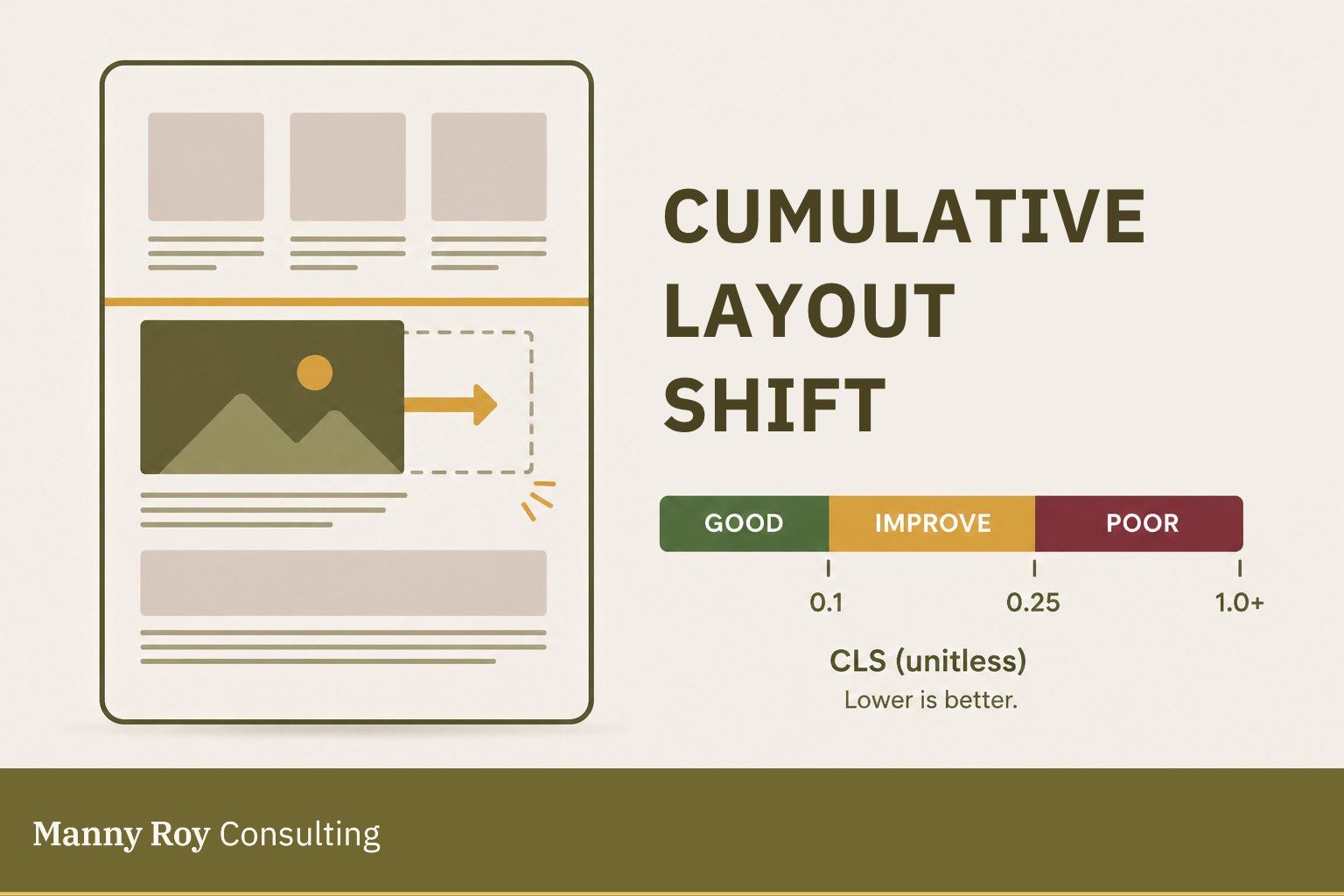
What CLS Measures
CLS measures the unexpected movement of visible elements on the page, aka, layout shifts.
A layout shift happens when something visible changes position after it has already appeared, for example:
- Text moves down because an image loads late
- A button jumps because an ad appears above it
- Content shifts because a font loads differently than expected
- A banner or embed pushes the page around after loading
CLS doesn't count shifts caused by direct user interaction. If someone opens an accordion, expands a menu, or clicks a button that intentionally changes the layout, that movement is expected and doesn't count toward CLS measurement.
How CLS is Measured
CLS is calculated based on how much content moves and how far it moves.
The simplified formula is:
impact fraction × distance fraction
In plain language:
- Impact fraction
How much of the visible screen is affected by the shift. - Distance fraction
How far the shifted element moves across the visible screen.
CLS is reported as a score, not a time value. Lower is better!
Why CLS Matters
CLS is a signal of visual stability, so:
- If CLS is low, the page usually feels steady and predictable.
- If CLS is high, the page can feel jumpy, unreliable, or frustrating — even if it loads quickly.
This matters because unstable layouts interrupt reading, navigation, and interaction. They can also cause people to click the wrong thing when content shifts under their cursor or finger. Overall, high CLS results in a frustrating user experience (UX).
So, for SEO, CLS matters because it is part of Core Web Vitals. For users, it matters because it affects whether the page feels trustworthy and usable at first impression.
Common Causes of Poor CLS
The problem: a poor CLS score usually indicates that the browser is adding, resizing, or restyling content after the page has already started rendering.
Common causes can include:
- Images or videos without reserved space
If media dimensions are missing, the browser may not know how much room to account for until/before the asset loads. - Ads, embeds, or iFrames loading late
Third-party content can push existing content around if space wasn't appropriately reserved ahead of time. - Fonts loading after text appears
A web font can change the size or spacing of text after the page has already rendered. - Banners or notices inserted above loaded content
Cookie banners, alerts, promos, or signup modals can shift the page if they load after the main content. - Dynamic content added without layout constraints
Content loaded by JavaScript can move nearby elements if the layout does not account for it.
How to Improve CLS
Improving CLS usually means reserving space before content appears or changes.
Common approaches include:
- Setting width and height attributes on images and videos
- Using CSS
aspect-ratiofor responsive media - Reserving space for ads, embeds, and iFrames
- Avoiding late-inserted content above existing content
- Loading fonts in a way that minimizes text movement
- Keeping banners and notices from pushing content unexpectedly
- Using placeholders or skeleton states for dynamic content
- Testing important page templates on mobile and desktop
Learn more about CLS at web.dev
Related Terms
- Core Web Vitals
- Field Data
- Lab Data
- Third-Party Scripts
- JavaScript
- Responsive Design