Interaction to Next Paint (INP)
Interaction to Next Paint, or INP, is one of the three main Core Web Vitals that measures how responsive a page feels when someone interacts with it.
INP focuses on interaction performance. It asks a practical question: after a user clicks, taps, or types, how long does it take for the page to visibly respond?
A good INP score is 200 milliseconds or less (for most users).
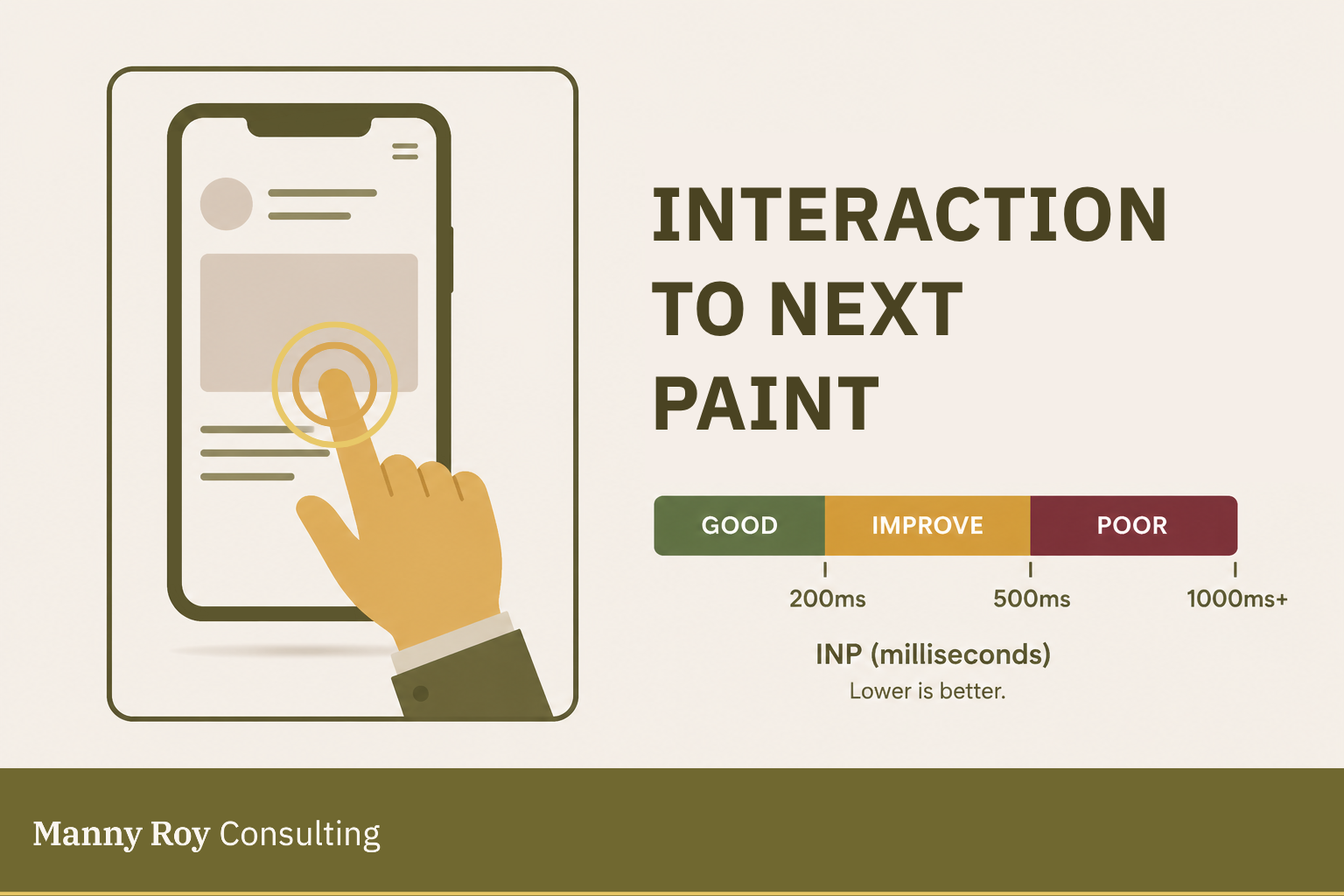
What INP Measures
INP measures the delay between a user interaction and the next visible update on the page.
User interactions can include:
- Clicking with a mouse
- Tapping on a touchscreen
- Pressing a key on a keyboard
INP does not measure every kind of movement on a page. For example, scrolling and hovering are not counted as INP interactions.
How INP is Measured
INP looks at interactions across the page visit, not just the first one.
This is why INP replaced First Input Delay, or FID, as a Core Web Vital. FID only measured the first interaction, whereas INP gives a fuller picture of how responsive the page is over time.
INP includes three parts of interaction latency:
- Input delay
The time between the user’s action and when the browser can start handling it. - Processing time
The time it takes to run the code connected to that interaction, such as JavaScript event handlers. - Presentation delay
The time it takes for the browser to paint the visual update after the interaction has been processed.
Where INP Shows Up
INP will appear in performance tools such as:
- PageSpeed Insights
- Google Search Console
- Chrome User Experience Report
- Lighthouse
- web-vitals JavaScript library
Why INP Matters
INP is a signal of responsiveness.
If INP is low, the page usually feels quick and responsive. If INP is high, the page can feel slow, stuck, or broken — even if the page loaded quickly.
This matters because loading is only part of the user experience. A page also has to respond when people try to use it!
So, for SEO, INP matters because it is part of Core Web Vitals. For users, it matters because it affects whether the site feels usable after it loads.
Common Causes of Poor INP
The problem: a poor INP score usually indicates that the browser is too busy to respond quickly.
Common causes can include:
- Heavy JavaScript execution
The browser spends too much time running scripts, which can block user interactions. - Long tasks on the main thread
The main thread is responsible for handling many browser tasks, including rendering and interaction. If it's busy, the page is unlikely to respond quickly. - Slow event handlers
The code attached to a click, tap, or keypress takes too long to run. - Complex page updates
The browser has to do too much work before it can show the next visual change. - Third-party scripts
External scripts, such as analytics, ads, embeds, or chat tools, can compete for browser resources.
How to Improve INP
Improving INP usually means reducing the amount of work the browser has to do before it can respond.
Common approaches include:
- Breaking up long JavaScript tasks
- Reducing unnecessary JavaScript
- Keeping event handlers small and focused
- Delaying non-critical third-party scripts
- Using code-splitting so less JavaScript loads upfront
- Giving users fast visual feedback after interactions
- Avoiding large DOM updates after simple actions
- Moving heavy background work away from the main thread where possible
Learn more about INP at web.dev
Related Terms
- Core Web Vitals
- First Input Delay
- Main Thread
- JavaScript
- Event Handler
- Field Data
- Lab Data
- Third-Party Scripts