Largest Contentful Paint (LCP)
Largest Contentful Paint, or LCP, is one of the three main Core Web Vitals that measures how long it takes for the main visible content on a page to appear.
LCP focuses on loading performance, but not in the abstract. It asks a practical question: when does the page start to feel useful?
A good LCP score is ~2 seconds or less for most users.
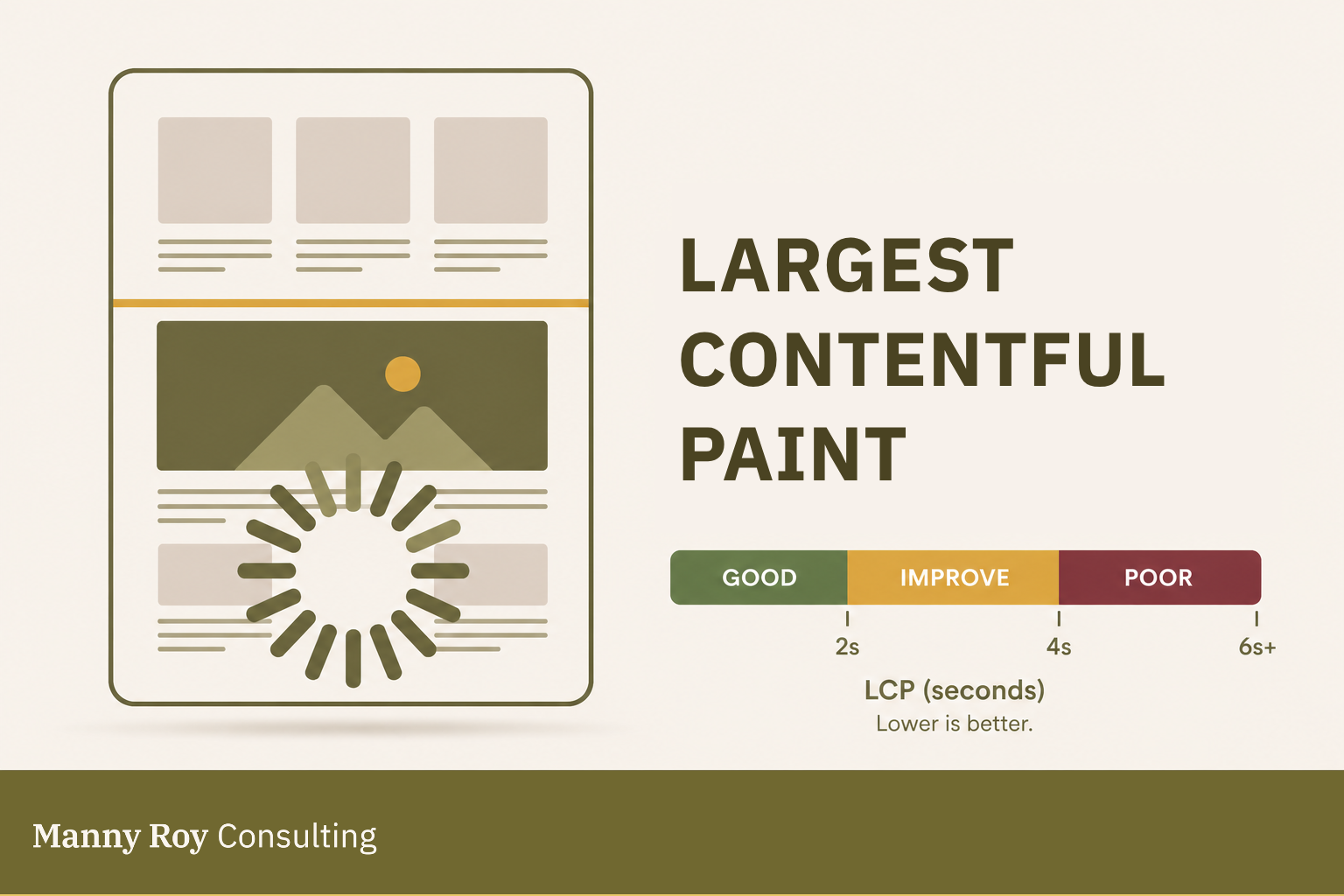
What LCP Measures
LCP reports the render time of the largest visible content element in the viewport*.
*The viewport is the part of the page a visitor can see without scrolling.
The LCP element is often:
- a hero image
- a large heading
- a large paragraph or text block
- a video poster image
- a background image
- another prominent above-the-fold content block
How LCP is Measured
LCP is usually evaluated at the 75th percentile of page loads. That means the score reflects what most users experience, not just the fastest or slowest visits.
Mobile and desktop are measured separately because device speed, screen size, network quality, and layout can all drastically affect the LCP result.
Why LCP Matters
LCP is a signal of perceived loading speed.
If LCP is fast, users can usually understand what the page is about very quickly. If LCP is slow, the page might feel delayed, blank, unstable, or unfinished — even if other technical load events are happening in the background.
So, for SEO, LCP matters because it is a main part of Core Web Vitals. For users, it matters because it affects whether the page feels ready.
Common Causes of Poor LCP
The problem: a poor LCP score usually indicates a delay in delivering or rendering the main content.
Common causes can include:
- Slow server response
The browser (front end) waits too long before it receives the first data from the server (back end). This is often connected to Time to First Byte, or TTFB. - Large images or video assets
A hero image, banner, or media file could be too large, poorly compressed, or served in an inefficient format. - Render-blocking CSS or JavaScript
Important content is delayed because the browser has to process other files first, which may not be critical to the page (minimize assets). - Client-side rendering delays
The page depends heavily on JavaScript before the main content can appear, putting extra strain on the browser. - Unprioritized key resources
The browser loads less important files before loading the content users actually need first.
How to Improve LCP
Improving LCP usually means making the main content easier and faster to deliver.
Common approaches include:
- Compressing and resizing large images
- Using modern image formats like WebP or AVIF
- Preloading important above-the-fold assets
- Reducing render-blocking CSS and JavaScript
- Improving server response time
- Using a CDN for static assets
- Avoiding heavy JavaScript before the main content renders
- Making sure fonts don't hide important text while loading
Learn more about LCP at web.dev
Related Terms
- Core Web Vitals
- Time to First Byte
- Render Blocking
- Perceived Performance
- Field Data
- Lab Data